That shot is incredible ! Would you perhaps consider showing us part of your process ? I just assumed you used 3D for the camera movement, it’s amazing.
I
shall present thou my process, but consider that it ‘ll be the exact
same process as any other animation, it’s basicly like “i did a rough
and a tie down, and i cleaned it”.
I
assume that by asking this, thou wanted to know some “ways” of doing
this kind of thing, but sadly i didn’t use any tricks, and i could have
of course, but i just felt that if i was trying to find a way to avoid
doing it, i would just not be doing it, and the rsult would have not
been the one i wanted.
So
in order to make this process as interesting as it could possibly be,
i’ll try to explain my thought during each steps as much as i can.
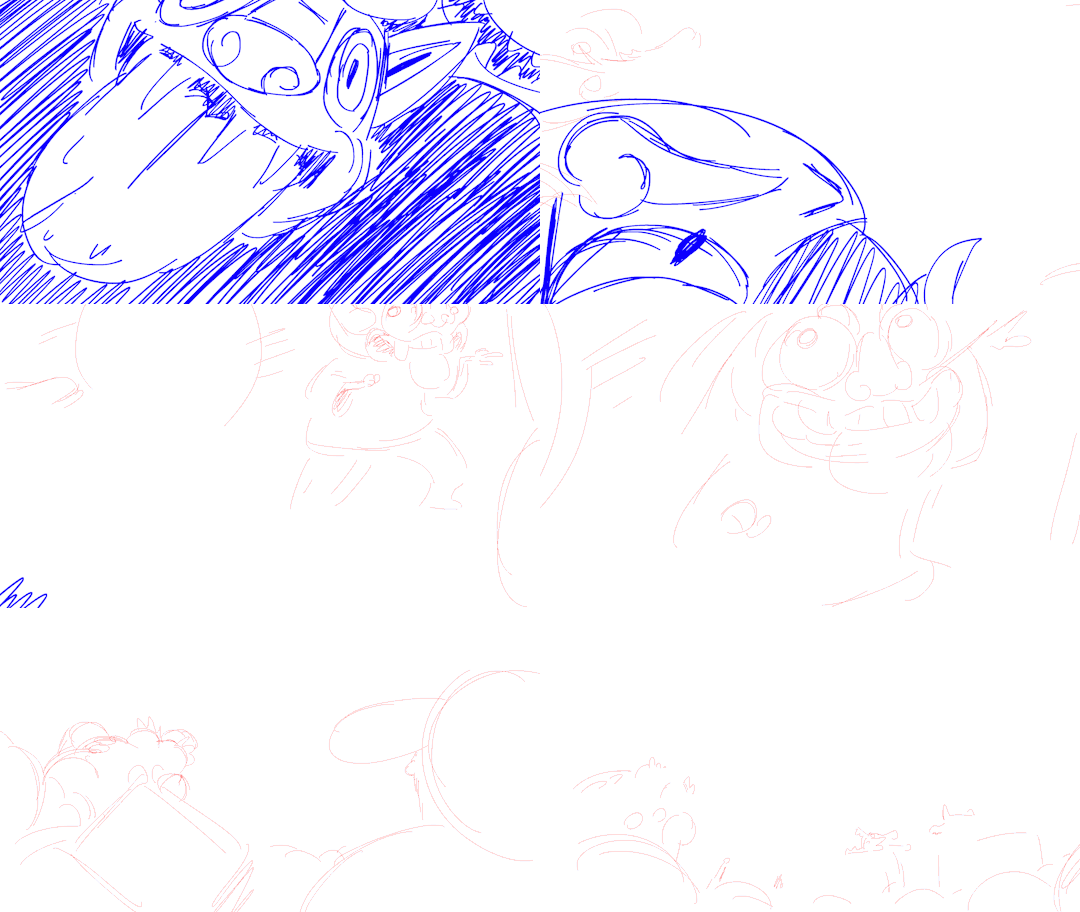
So here is the rough, basicly if i recall correctly this was like my
third version (i didn’t find the other one) i tried to have here
“key moments” and not exactly “key movements”, i tried to define the
most importants parts of the curve my camera’s describing. The thing is, i
wanted to be sure where to slow down the pacing of my camera, and when
to speed it up, and at the same time i wanted to know what the crowd
would looks like.
Here’s
my kind of tie down, it’s the thing i used in order to do the cleaning later,
here, i juste came back to re-define a little better the last part, the
fast parts are easier to read and i know where my characters are. Something
i also did (and lost by now so i can’t show it) is like a top view map
of the crowd, with each character to always help me remember where each
one is.
Note
that i cleaned and colored the “ghost” first here, as he’s hiding
characters, i wanted to know exactly where he would be to avoid unecessary
drawings.
And
here whe have the final cleaning, here is the part i’ll need to explain
the most, because sadly there’s no real “inbetween” before this part
and the tie down.
The
first thing i did was to clean all the images i already had during the
tie down, then i got all the models checked with the character designers Lady Hagdahl Sörebo and Lady Zhang to
be absolutly sure that the things i would be inbeetwining would be the
exact models (i thought lady Hagdahl Sörebo was going to die during
that part). The
thing i did at the same time was to define the size of the brush during
each “key moments”, you may notice on the gif above that the further
away the characters are, the thinner their line is.This is one of the
thing that helps achieving this “3D like” aspect, it helps feeling depht
in each frames and makes your eyes’s understanding of each characters
easier.
Once
i had my key movements perfectly lined, i started beaking it down, i
inbetweened all the images i had, BUT i started to think about each
characters’s movement, you may notice it , but the characters are not
all totally still, some of them are moving, doing something, for
exemple, the xingtiang (the ball-like things with arms who carrys bowl
of food) wave their arms and bowl a little as they can’t exactly sustain
their weight perfectly. It’s
that part that helped creating life in that shot, if the characters had
been just standing still, the shot would have felt flat, and a bit
life-less.
Once
i had all my characters on models, my lines’s size defined, and my
characters animation set in stone, i just had to inbetween everything to
reach a ratio of 25 frames/1 second, it’s what we call a 1′s exposition
in french, i don’t know how to say it in english, but the important
part is that it helps your eyes understanding the movement, and in a
shot with so many characters, and a movement as fast as this one, it was
absolutly necessary to have everything at one, it’s also one of the
thing that helps achieving this 3D effect, as we tend to see most of our
2D animation at 2 or 3 and our 3D animation at 1 (or 0.5)
And we’re nearly finished! after that i just colorised the characters,
once they were, i was sure of the negative space around them, and were
to put the confettis you see on the ground, it’s an other thing that
helps defining depth in the shot, a solid ground under the feets of the
characters.
And of course once i had everything in place i just had to add the
flying confettis! I animated them straight ahead, as i already had my
camera movement and my characters it was child’s play to guess the size, the orientation and everything else; it’s like animating in 2D on a 3D scene, thou know exactly where thou are, but it doesn’t have the cons 3D scene have, the space isn’t so big you get lost in it, thou know exactly what’s on screen, and it doesn’t feel dead.
I wanted them to flow through in order to lead the eyes
of the audience and to make the whole movement flow more fluently, this way thou don’t look too much at all the characters and thou don’t get lost in the details, because thy eyes are attracted by the colored and bright moving dots through the image.
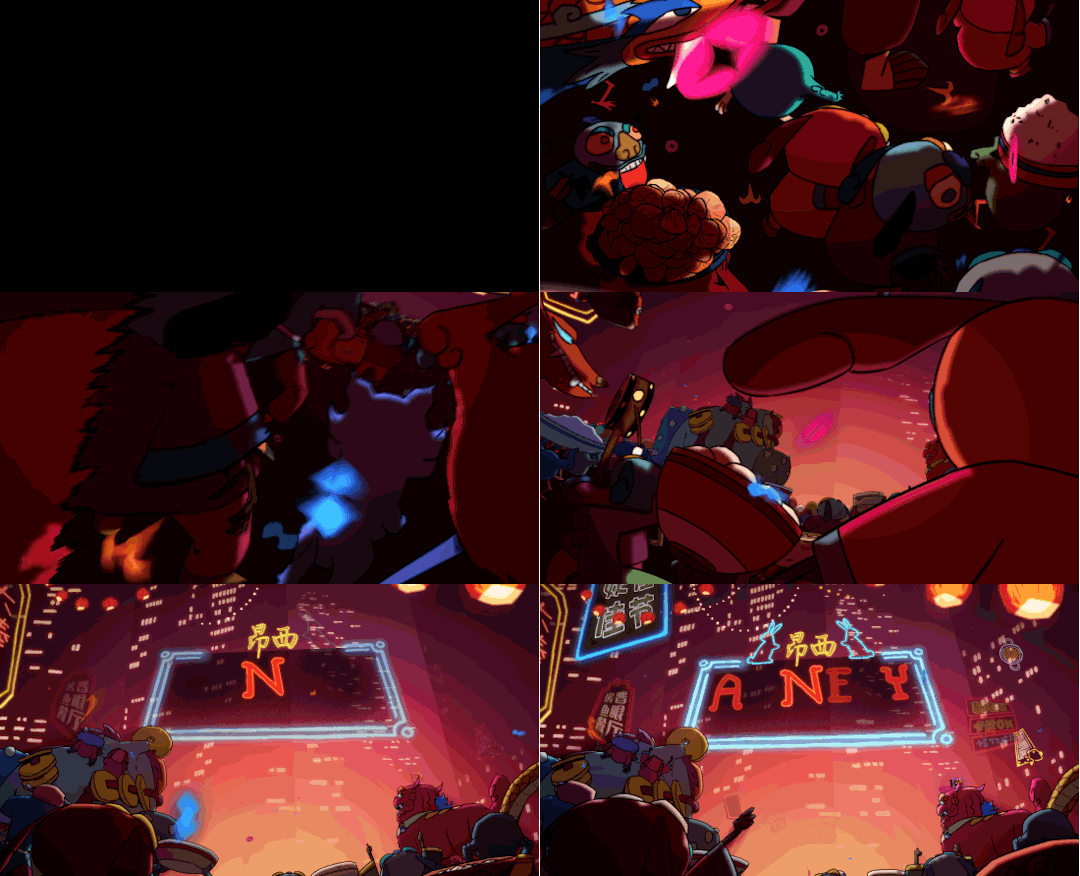
And that’s it! An other intersting thing about this shot is that i cuted it in 3 parts in order to simplify the tvpaint file. It means this process only cover this part, which is the second one, the others weren’t exactly done the same way, but the process was more interesting for this part, that’s why i didn’t added the others.





 Patata Paradaisu